THIS POST tells you how to perform a manual update, if you ever need to.
Where it is very unlikely, there is a very small chance that the auto update script can fail, due to not knowing what option the user wanted to choose during an update. The chances are that even If you used Ubuntu auto updates, the same issue would have arisen.
Each time the update script runs it sends you an email to your postmaster email account.
Here is an example of an update script failure.
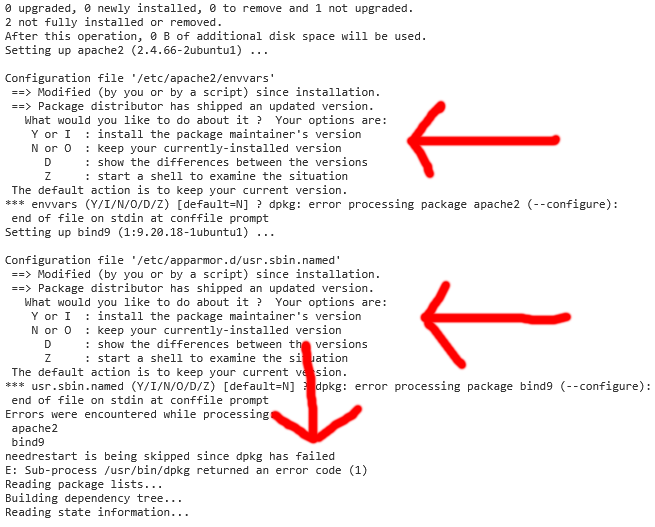
PLEASE NOTE: The failure notification at the end of the email is the most important thing to look for, when identifying a failure, as sometimes it can look like a failure, but actually be fine.
Just to be clear, a held back update is not a failure, where the script does install most held back updates, if an update could cause and issue then it will be held back by the operating system.
Here is an example of an update getting held back.
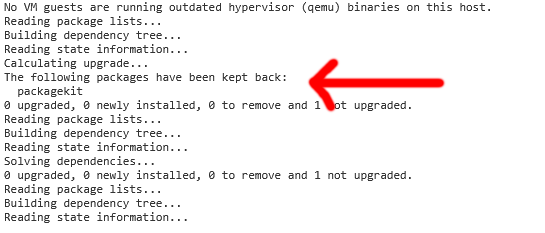
As the script is designed to install, even held back updates, if an update is held back by the operating system, under no circumstances should to try to manually install the update, as you could BREAK YOUR INSTALLATION, and end up having to reinstall your entire server.
These types of updates will usually get installed at a later date, when it is safe to do so.
The held back update in the example above actually got installed on my server during a manual update.
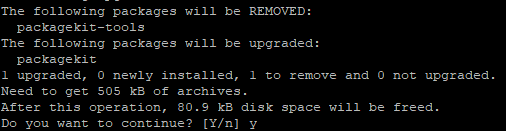
If the script did fail, simply manually update your server from the details in THIS POST, to fix the issue.
If you chose not to replace Ubuntu auto updates with the script then the EHCP force installer wont off turned them off, this is a risk as downtime is almost guaranteed. Sometimes after Ubuntu preforms auto updates your server and website can become unavailable until you manually reboot your server, you could even permanently loose email. Is very easy to turn them off, you can do it will a single command from within PuTTY.
So, to turn off Ubuntu auto update, just issue this one command using PuTTY.
sudo sed -i "s/Unattended-Upgrade \"1\"/Unattended-Upgrade \"0\"/g" /etc/apt/apt.conf.d/20auto-upgrades

If they are already turned off the command will not do any harm, so if in doubt issue the command.
If you did not turn on the auto update script, and you have changed your mind, open the crontab file in PuTTY (using sudo crontab -e), and add these lines in.
Code: Select all
#AUTO UPDATE
45 3 * * * /var/www/new/ehcp/scripts/auto-update.sh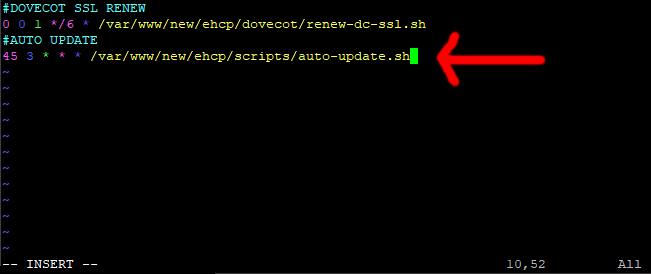
On one final note, if you do not want to use the auto update script, adding these lines to the crontab file (using sudo crontab -e), telling the system to perform a daily reboot, at 4:05am (or another time of your choice), is good for system stability.
#Daily Reboot
0 4 * * * /sbin/shutdown -r +5
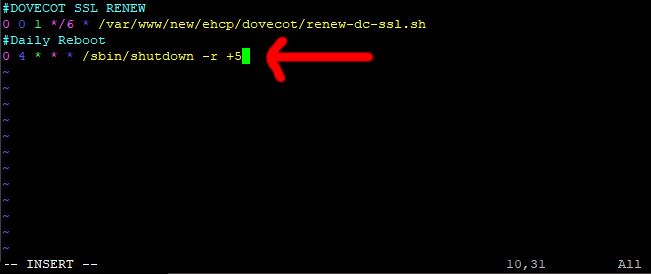
PLEASE NOTE: Your crontab file may look different to the one in the above examples.
Good Luck, with your Ubuntu updates, however you choose to do them.